It Started with a Simple Observation
A few years ago, some of my friends around me were using iOS devices.
While using their devices and exploring the Photos app, I noticed something interesting: the built-in photo experience could provide a short, understandable description of an image.
It wasn't necessarily a very detailed description, but it gave me useful information about the photo.
I was already using Android, and that made me think:
“Hey, this is actually useful. Why doesn't my Android gallery work like this?”
That thought stayed with me.
I started looking at what was available on Android. There were already plenty of AI tools that could describe images. But most of them worked as separate tools — you had to share or upload an image somewhere to get a description.
I wasn't looking for just another AI image-description tool.
I wanted a gallery.
A gallery where I could browse my photos, organize them, and actually understand which photo I was looking at.
The Problem
For a blind user, managing a large photo library can be difficult.
- Finding a particular photo.
- Distinguishing between similar photos.
- Remembering what a photo contains later.
- Organizing photos in a meaningful way.
- And understanding what's actually in an image.
Most of the time, I could ask someone sighted for help.
But there was another problem.
Those are my photos.
Even when the person is someone close to me and someone I trust, I still have personal photos that I may not want to show to someone else.
So I started thinking:
“Why shouldn't I be able to understand my own photos independently?”
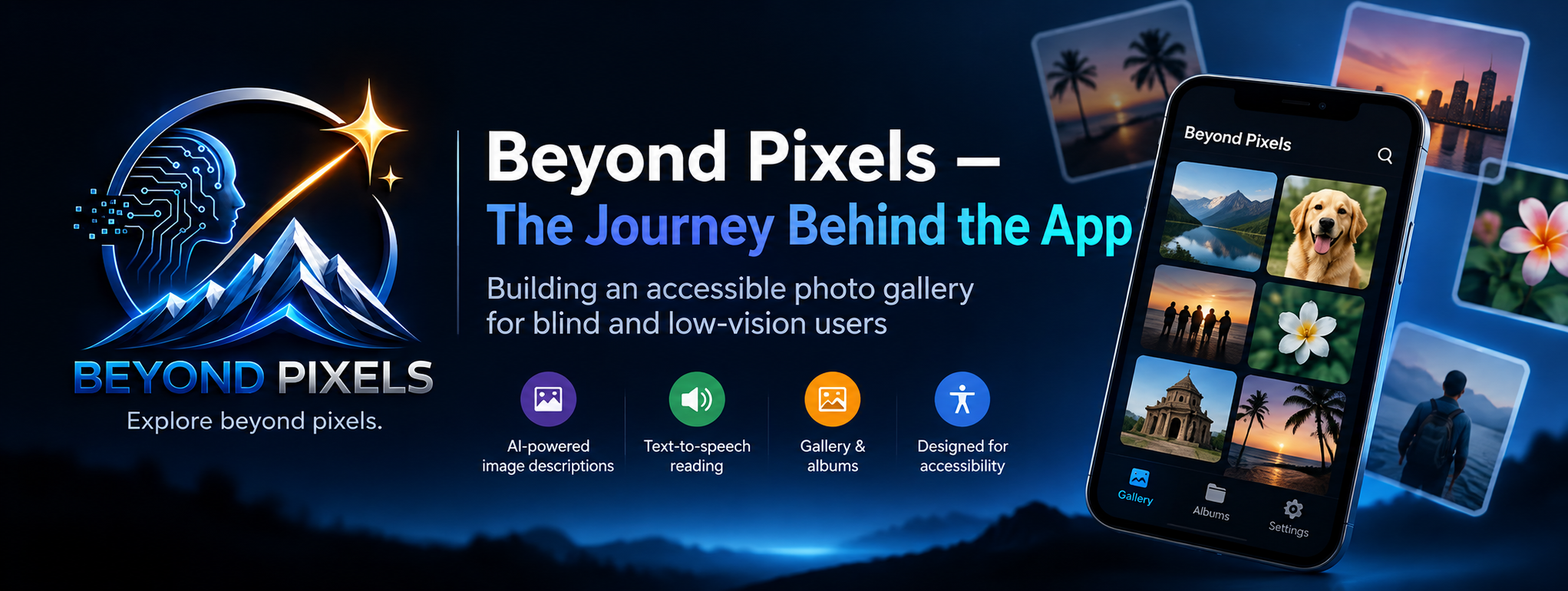
That's where the idea for Beyond Pixels started.
Starting Small
I didn't begin with a huge feature list.
The first usable version was simple:
- Open the gallery
- Browse photos
- Select a photo
- Generate an AI description
- Read the description
That was the basic idea:
Photo → Description → Understanding.
But while building the app, the idea kept growing.
I added albums.
Then custom photo names.
Then sharing and deleting photos.
I also wanted Beyond Pixels to work for low-vision users, not only screen-reader users. So I started adding things such as font customization, themes, animation controls, haptic feedback, notifications, and other accessibility preferences.
Some ideas came from conversations with a close friend who is also blind and very interested in technology.
We would discuss what we were building, exchange ideas, and think about what could make the experience better.
I also spent a lot of time experimenting with AI and asking:
“What else can we do with this?”
Thinking Beyond Descriptions
An image description can tell me what is in a photo.
But what if I could also know who is in it?
I started experimenting with personal familiar-person recognition.
The idea was simple:
Teach the app: “This is my brother Harish.”
Then, when that person appears in another photo, the app could potentially recognize them.
I worked on it, but the results weren't reliable enough.
So I decided not to release it just because the technology was possible.
If I give users a feature, I want it to be reliable enough to deserve their trust.
That idea is still something I want to shape further.
Then I Discovered Another Problem
Initially, I wanted users to have control over their own AI usage.
My first approach was:
Use your own Gemini API key → generate your own descriptions.
But during testing, I realized that many people don't know what an API key is, where to get one, or how to configure it.
That made me stop and think:
“If people can't get through the AI setup, will they simply uninstall the app?”
So I changed the approach.
I built a proper backend and introduced Credits Mode.
Instead of requiring users to understand API configuration, they can use credits to generate AI descriptions.
The credit system also gives me a practical way to manage the ongoing AI and cloud costs of running the service.
The original goal wasn't to build a business around AI.
The main goal was to make the service sustainable.
If there is a little extra margin, it can also help me continue maintaining and improving Beyond Pixels.
Then Something Unexpected Happened
I didn't expect Beyond Pixels to reach 100+ users within about three days.
That genuinely surprised me.
But reaching 100 users also changed my goal.
It was no longer just:
“Can I build this?”
It became:
“How do I make this useful enough that people keep it on their phones?”
Think about a normal gallery app.
People don't usually keep a gallery app because it has one amazing feature.
They keep it because their photos are there.
That's what I want to build for the blind and low-vision community.
Not just another AI tool.
Not just an image-description experiment.
Not an app that someone downloads once and forgets.
I want Beyond Pixels to become an everyday photo gallery experience that people can actually rely on.
And That's Where I Am Today
There are still many ideas I want to explore.
There are features I'm still working on.
There are things I have experimented with but haven't released because I don't think they're ready yet.
And there are plenty of things I still want to improve.
But the original problem that started all of this has changed.
Today, I can open my gallery and actually understand which photo I'm looking at.
That was the problem I wanted to solve.
And that's what Beyond Pixels is about.
Want to Try It?
If you're a blind or low-vision Android user, an accessibility professional, a developer interested in accessible technology, or simply curious about what I'm building, I'd love for you to try Beyond Pixels.
Beyond Pixels is available on Google Play:
If you try it, I'd genuinely appreciate your feedback — whether something works well, something is confusing, or there's something you think I should improve.
This is still an evolving project, and real-world feedback is one of the most valuable parts of building it.
Back to top