
Browse your photo library
Explore your photos and folders in an accessible gallery designed for screen-readers, with logical focus order and clear metadata.
Beyond Pixels is an accessible photo gallery app for Android, designed with blind and low-vision users in mind. Browse your photos, explore albums, give photos meaningful names, and generate AI descriptions when you need more context.
The Real Problem
A photo gallery can be simple to use when you can see the images. For blind and low-vision users, finding a particular photo, distinguishing between similar images, remembering what's in a photo, and organizing a large photo library can be much harder.
Beyond Pixels was created to transform the photo gallery experience from a visual grid of silent thumbnails into an accessible, organized space where you can explore and understand your memories independently.
Explore your photos and folders in an accessible gallery designed for screen-readers, with logical focus order and clear metadata.
Generate meaningful AI descriptions on demand with Google Gemini when you need visual context, text recognition, or scene details.
Organize your library with albums and give photos meaningful custom names so you can instantly recognize them in the future.
Capabilities
Beyond Pixels combines core gallery tools with thoughtful accessibility features to help you manage your photos with confidence.
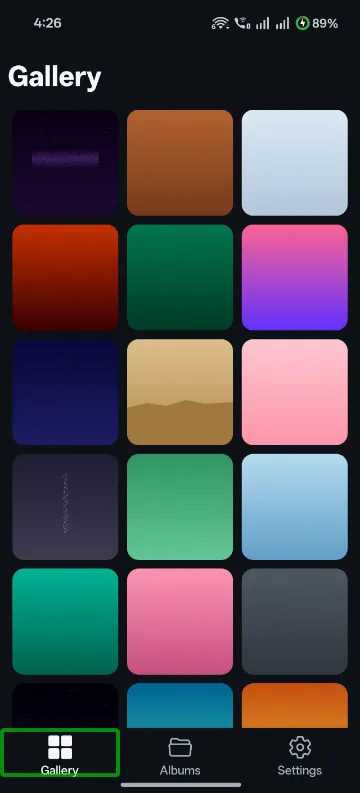
High-contrast, screen-reader optimized grid layout. Photos are presented with date, size, and custom label announcements.
Instantly access photo folders like Camera, WhatsApp, Downloads, and Documents without digging through nested directories.
On-demand description generation explaining scenes, text, colors, and objects. Descriptions are cached locally for offline review.
Rename cryptic file names like IMG_20260930_120401 into memorable names like Mom's Birthday Celebration.
Share photos directly to messaging apps or family members with or without their AI descriptions attached.
Customize font scaling, visual themes, animation reduction, and haptic feedback to build an experience that feels right for you.
Accessibility First
We don't treat accessibility as an afterthought. Beyond Pixels is designed and tested with Android accessibility features, including TalkBack, keyboard navigation, and adjustable visual settings.
Designed for Android TalkBack with accessible focus indicators, landmark navigation, and distinct verbal labels.
High-contrast UI elements, clear spacing, and dark/light modes designed to reduce glare and visual fatigue.
Dynamic font sizing scales body text, button labels, and descriptions without clipping or breaking layouts.
Respects your device theme and animation preferences, including reduced-motion settings to minimize unnecessary transitions.
Tactile vibrations confirm key actions like saving photo labels, opening menus, and generating descriptions.
Supports navigation using external Bluetooth keyboards and switch-access devices with clear tab navigation.
Product Tour
Explore how the interface brings simplicity, context, and control to your Android photo library.


Built by an Android user
Beyond Pixels started from a problem I experienced myself as a blind Android user. The app has continued to evolve through experimentation, conversations with other blind and low-vision users, accessibility feedback, and real-world daily use.